Cinemall Movie App
Project Overview
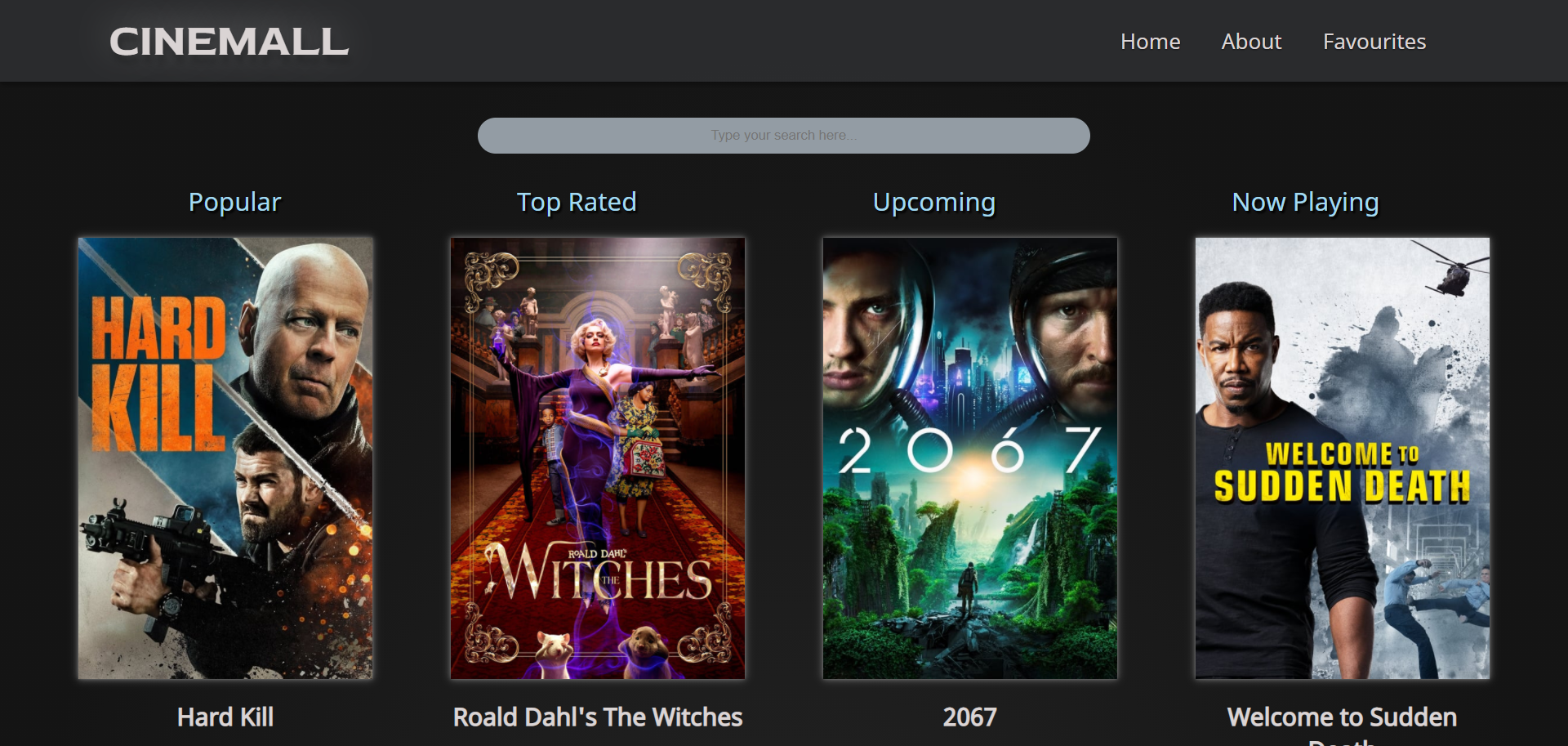
This project allowed us to develop a movie database app, similar to IMDB and Letterboxd, using React to create a dynamic site. We used the API from The Movie Database (TMDb) to call on the data. We can sort movies based on what's popular, top rated, now playing, and upcoming titles. There is also a functionality to add and remove favourite movies based on the browser's local storage.
useEffect(() => {
    const fetchMovie = async () => {
        const response = await fetch(URL_MOVIE + movieid + API_KEY)
        let data = await response.json();
        setMovie(movieMaker(data));
    }
        fetchMovie();
    }, [movieid]);


const movieMaker = (obj) => {
    const movieObj = {
        title: obj.title,
        date: obj.release_date,
        rating: obj.vote_average,
        summary: obj.overview,
        img: obj.poster_path,
        id: obj.id
    }
    return movieObj;
}
Code
The useEffect() function took in data from TMDb API on page load. Without this piece of code, we wouldn't be able to display any movies on our pages at all. The movieMaker() function converted the keys in the object array into simpler names to be used within the HTML syntax.
Development Plan
The design of this movie app was based on the mockup designed by a team member. The mockup had a colour palette of a dark background with a subtle gradient, light sans-serif text, and a cyan accent colour. The movies were displayed as rows of posters. When the cursor hovered over the image, a short summary of the film was dispayed over it. Although we understood that the design will change during the development process, we wanted to stay as close to the intended design as possible.
We installed React by inputting npx create-react-app on our terminals. Before we began coding, we made sure to delete any default files or code that were unnecessary for the project. We created and imported the various components that made up our site, including different pages and sections of a page such as the navigation bar and footer. The site was very plain with no styling, but we wanted to make sure we had a static template set up first. Afterwards, we installed the React Router Dom and set up the Router paths.
SCSS was used to style the site. At first, we started off by setting variables for the font family and colours. To help us visualize what the site will look like, even with no API yet, we used a static image poster and a generic movie title & summary to display 12 movie posters. The styling was used with a mobile first approach. Once we completed the template for the mobile site, we used media queries to style the tablet and desktop versions.
After we finished the styling, we added global variables that were to be used throughout the site such as the URL from TMDb and the API key. To keep the concept of DRY (Do not Repeat Yourself) in mind, the <div>s that contained the twelve movies were looped using map(). We tested the API by passing and isolating its data through the console log first. Once that was successful, we were able to pass the data in the actual containers themselves.
Since we needed to make sure the user was able to visit the page of each movie, we made sure to pass the ID from TMDb to the individual movie page when they clicked on the More Info button. We also worked on setting up the local storage, so that any movie that the user favourited could still be in the Favourites page even after they close the browser. If the user removed a movie from their favourites page, we wanted to reflect that change as well. At the same time, we continued to work on the styling.
Challenges
One of the challenges with this React movie app was trying to maintain the consistency of the stying, when the bulk of the site was using an API that was not controlled by us. We needed to consider the varying length of movite titles, as well as the potential of a movie poster being a different width or height from the standard. We hope that our site will stay consistent in its appearance regardless of the data we receive from TMDb's API.